
VoiceOver PRO Features: Auto Build Diagnosis, Laterality Validation & More | Voicebrook
VoiceOver PRO's latest features — Auto Build Diagnosis, Bone Marrow Differential Calculator, Laterality Validation, and Dictation Anchoring — reduce reporting errors and streamline pathology workflows. See them in action.

VoiceOver PRO's latest features — Auto Build Diagnosis, Bone Marrow Differential Calculator, Laterality Validation, and Dictation Anchoring — reduce reporting errors and streamline pathology workflows. See them in action.
Voicebrook’s commitment to innovation continues with the latest updates to VoiceOver PRO, our flagship pathology reporting platform. In a recent webinar for our Voicebrook users, we unveiled four powerful new features designed to streamline workflows, improve accuracy, and offer greater flexibility for today’s pathology professionals.
Here’s what’s new:
Auto Build Diagnosis
Creating structured diagnosis templates has never been easier. Instead of manually inserting templates for each case, Auto Build Diagnosis automatically generates the right templates based on the gross description. This reduces repetitive steps, saves time, and helps pathologists stay focused on diagnosis.
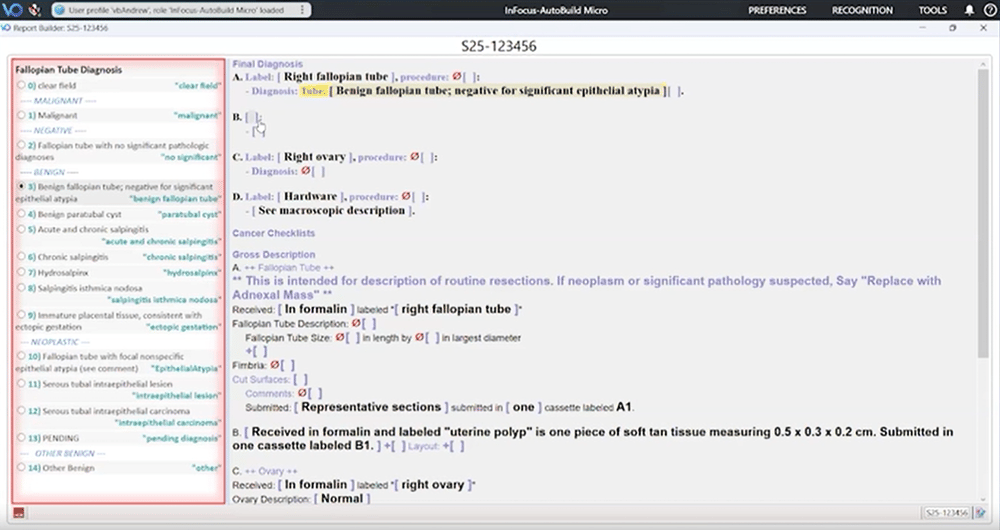
Highly configurable, Auto Build Diagnosis can be applied at the user, role, or site level and enabled only for specific specimen types—giving labs complete control over when and how it’s used.
Manual Bone Marrow Differential Calculator
With this update, pathologists can now embed a manual bone marrow differential calculator directly into the Report Builder outline. Using simple keyboard shortcuts or voice commands, users can enter cell counts and instantly generate a formatted differential table, complete with the myeloid-to-erythroid (M:E) ratio.
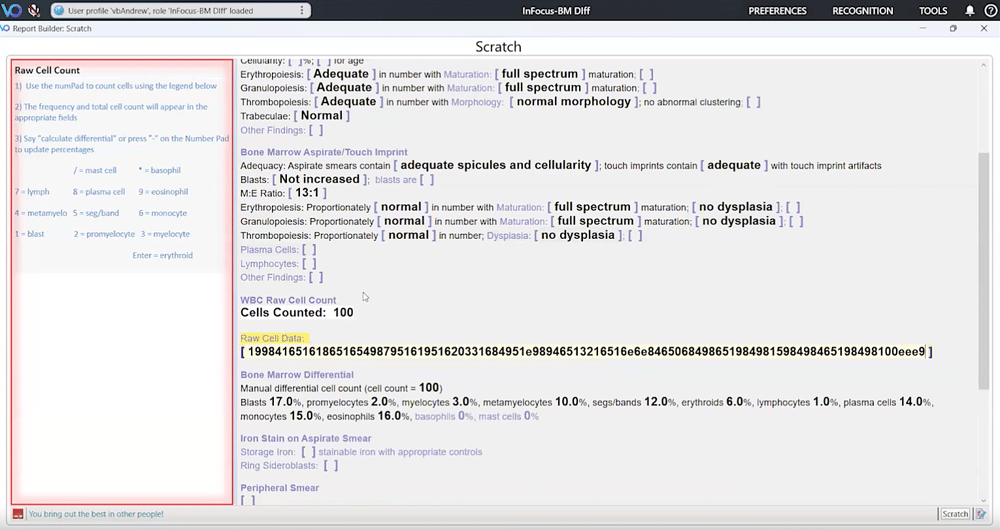
Because the tool is tailored to each customer’s needs, it integrates seamlessly into existing workflows without slowing pathologists down.
Laterality Validation
Laterality errors are one of the most common and preventable risks in pathology reporting. VoiceOver PRO now includes a validation feature that automatically cross-checks laterality references across the gross, diagnosis, and AP system.
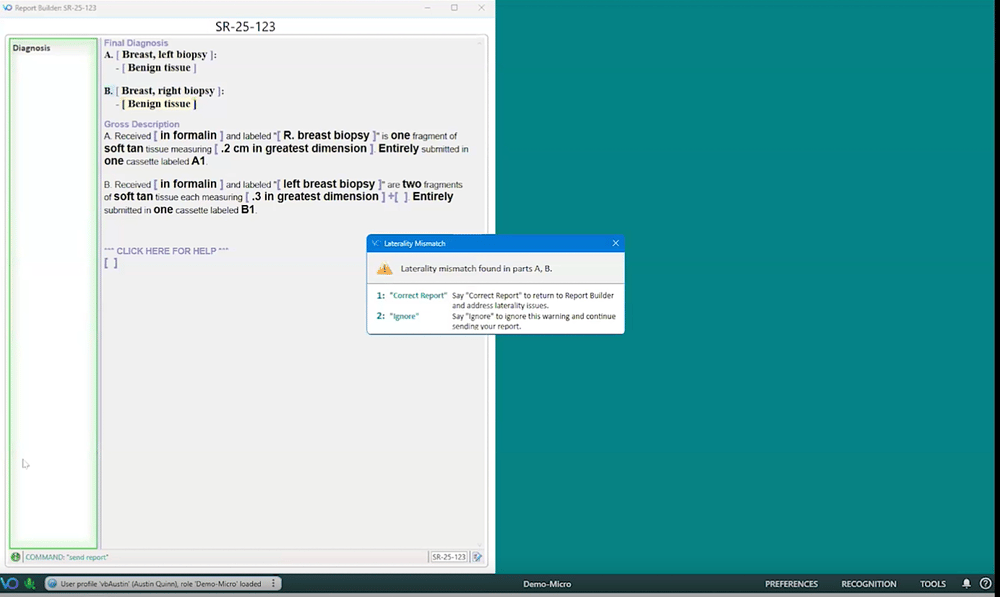
The system intelligently recognizes variations such as “right,” “R.,” or “RT,” and flags discrepancies before reports are finalized. This feature can be configured globally or at the user/role level, with plans to make it a default safeguard in future releases.
Dictation Anchoring
Pathologists often need to multitask—whether referencing digital slides or pulling external data. With dictation anchoring, users can continue dictating into Report Builder or Word while interacting with other applications.
The anchoring status is clearly displayed in the toolbar, and labs can set it to activate automatically or only when triggered by the user. It’s a game-changer for digital pathology and complex case review.
Moving Pathology Forward
At Voicebrook, we’re dedicated to building solutions that adapt to the way pathologists work. These new features were shaped by feedback from our users and reflect our mission to continually enhance efficiency, accuracy, and safety in pathology reporting.
Want to see these updates in action? Reach out to our team to schedule a personalized demo!
More on Speech Recognition for Pathology
Browse the topic →Dictate Pathology Reports With Your Smartphone Using VoiceOver PRO
Your mobile device can double as a secure, wireless microphone—giving you the freedom to dictate quickly and efficiently.
Pathology Dictation Workflow Options: Front-End Speech, Delegated & Digital Recording | Voicebrook
VoiceOver PRO supports three pathology dictation workflows: real-time Front-End Speech, the hybrid Delegated Workflow Module, and Full Digital Recording. Find the right fit for every pathologist in your lab.
Busted: Three Speech Recognition Myths
Speech recognition technology has evolved immensely in recent years, but misconceptions still linger. Let's debunk some myths!